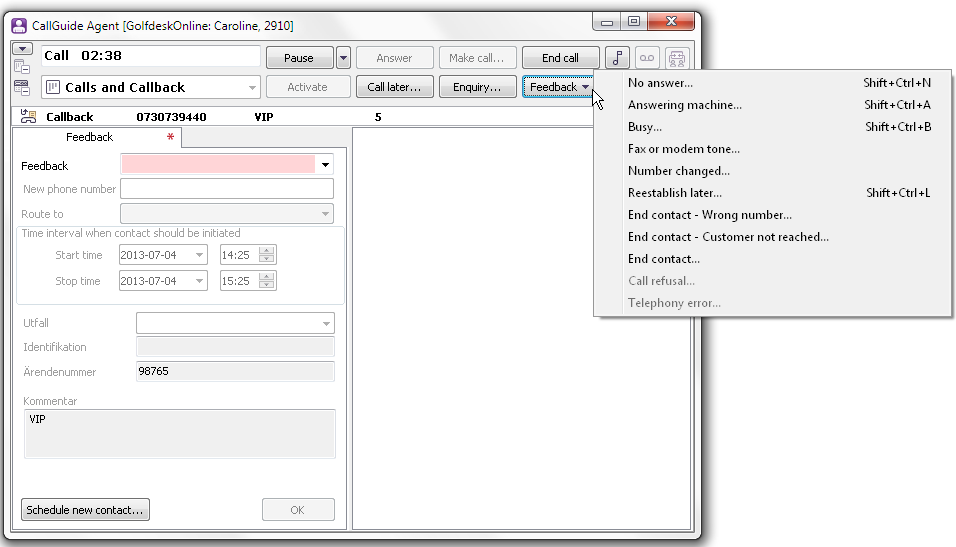
When a callback call is ended, you are automatically placed in Wrap-up status and the Feedback support function is opened, unless it has already been opened automatically when you accepted the contact. The wrap-up time is not limited and the clock shows for how long you have been in wrap-up status. You leave Wrap-up status when you have provided feedback for the contact.
You can also provide feedback by clicking on the Feedback button. A menu where you can select type of feedback is then opened. These are the same feedback types that you can choose from in the status list of the Feedback support function.
Feedback can be given when you
You may also, in the support function for feedback, choose to schedule a new callback, based on your current contact in progress.
If the Call later function is used to postpone a callback call, the Feedback support function will automatically appear. It is already filled in with:
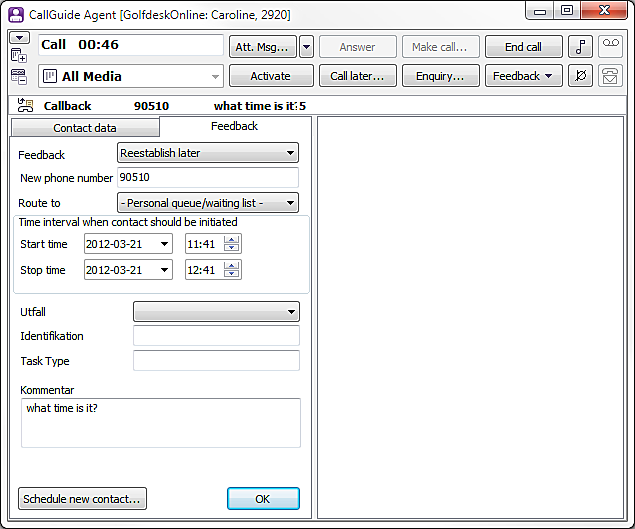
For further information about postponement and the Call later button.
When you have concluded a callback call, you have to specify the result of the call. There is a number of alternatives for feedback, and you can also enter your own comments regarding the contact.
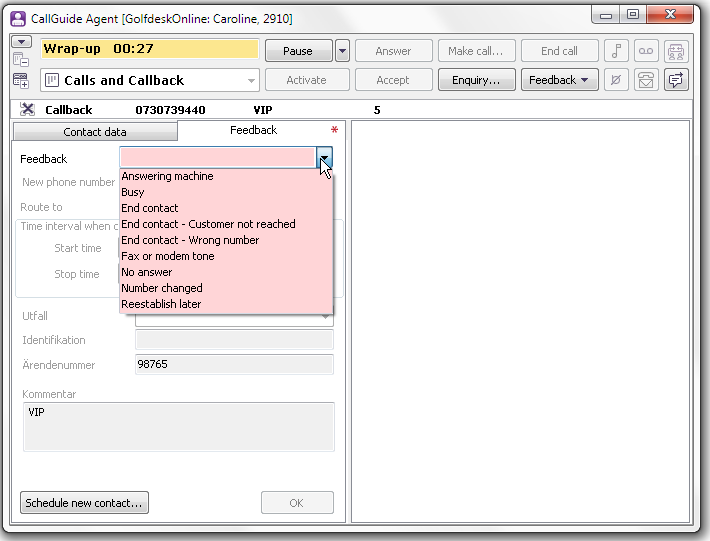
The following outcomes are pre-set in the system:

When you have refused a callback record, you must indicate why. There are a number of alternatives for feedback.
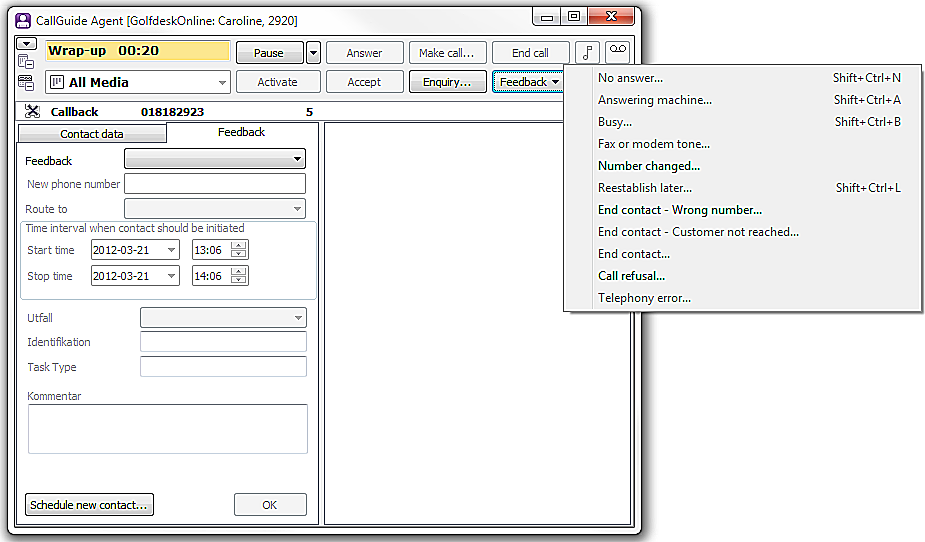
If you have accepted a callback record, but the call failed, due to a telephony error, the following alternatives are available for feedback:
If you make an enquiry to another agent and then transfer your callback call, you will still be prompted to provide feedback when your call is ended, since you handled the contact originally. The enquired party will not end up in feedback but in normal wrap-up, if so configured for this task type.
If an external call arrives as a callback record is being routed to you, the callback record will be automatically parked and the Answer button flashes for the incoming call. When you have answered and ended the external call, the callback record is automatically unparked. The Accept button flashes and the callback call is made in the normal way. If an external call arrives when you are busy with wra-up for a concluded callback call, the feedback window will remain but you will not be able to handle any data or close the feedback window until the external call is ended.